Glyptodont
Documentation for the Glyptodont gem. See also the README and configuration below.

What?
Glyptodont is a command-line tool that scans a Git repository for TODO-style comments (e.g. TODO, FIXME, HACK, XXX) and fails if they exceed your limits. It helps stop unfinished work from reaching production.
You run it in CI or locally; it reports how many TODOs were found and how old the oldest ones are, and exits with a non-zero code when your thresholds are exceeded.
Why?
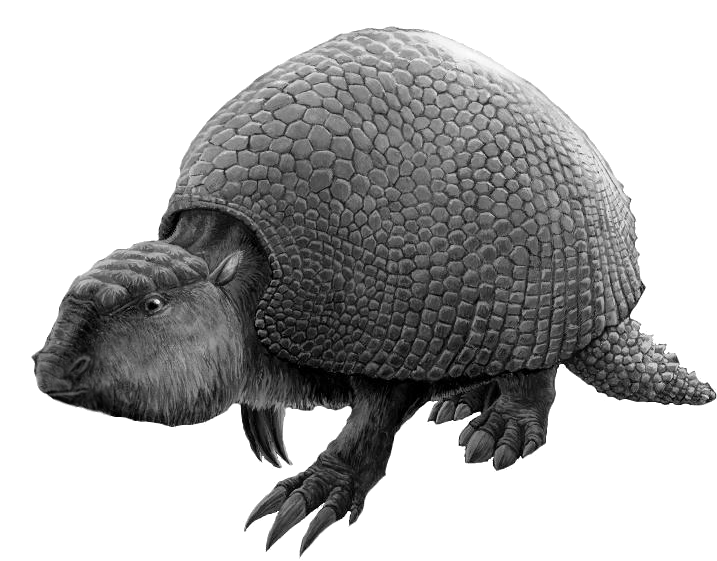
All the glyptodonts have fossilised. This tool makes sure your TODOs don’t do the same.
If you’ve ever been bitten by a TODO in production that was never done, Glyptodont is for you. It gives you:
- Visibility — See how many TODOs exist and how long they’ve been there.
- Gates — Enforce a maximum count and/or maximum age so builds fail when technical debt crosses the line.
- Configurability — Per-repo limits, custom keywords, and ignore rules so you can adopt it gradually.
How much?
- Cost: Glyptodont is free and open source (MIT). No paid tiers or usage limits.
- Limits you configure: You decide how many TODOs are allowed and how old they can be:
- Threshold — Maximum number of TODOs allowed (default: 10).
- Max age — Maximum age in days for the youngest TODO over the threshold (default: 14 days).
Both can be set via command-line options, a .glyptodont.yaml file in the repo, or a mix (options override config).
How?
Install
gem install glyptodontOr add to your application’s Gemfile:
gem "glyptodont"Then run:
bundle exec glyptodontOptional: put a .glyptodont.yaml in the repo root to set threshold, max_age_in_days, keywords, and ignore entries.
Configuration
Glyptodont looks for an optional .glyptodont.yaml file in the root of the directory being scanned.
- threshold — Maximum number of TODOs to allow. Overridable by
--threshold. - max_age_in_days — Maximum number of days to allow TODOs to stay. Overridable by
--max-age. - ignore — List of
file_name:line_numberpairs to ignore (e.g. Spanish text or frequent mentions of TODOs). - keywords — List of synonyms for TODO in your project.
- documentation_files — List of documentation files to skip entirely when scanning for TODOs (e.g.
CHANGELOG.md,docs/index.html).
Example:
---
threshold: 1
max_age_in_days: 1
ignore:
  - README.md:11
  - lib/glyptodont/checkers/counter.rb:30
  - lib/glyptodont/todo_researcher.rb:33
  - spec/checkers/counter_spec.rb:20
documentation_files:
  - CHANGELOG.md
  - docs/index.html
Command-line options
Usage: glyptodont [options]
    -d, --directory DIRECTORY        Git repository to search for TODOs (default '.')
    -t, --threshold TODOS            Maximum number of TODOs to allow (default 10)
    -m, --max-age DAYS               Maximum number of days to allow TODOs to stay (default 14)
    -k, --keywords TODO,WORDS        Keywords to treat as 'TODO' (default FIXME,HACK,TODO,XXX)
        --version                    Show version
Use in CI/CD
Run glyptodont (or bundle exec glyptodont) after checkout. If the repo exceeds your limits, the command exits non-zero and the pipeline fails.
GitHub Actions
Add a job that installs Ruby, installs the gem, and runs Glyptodont. Example:
jobs:
  glyptodont:
    runs-on: ubuntu-latest
    steps:
      - uses: actions/checkout@v4

      - name: Set up Ruby
        uses: ruby/setup-ruby@v1
        with:
          ruby-version: "3.2"
          bundler-cache: true

      - name: Install Glyptodont
        run: gem install glyptodont

      - name: Check TODOs
        run: glyptodont
To use a strict policy (e.g. only 5 TODOs, max 7 days old), pass options:
      - name: Check TODOs
        run: glyptodont --threshold 5 --max-age 7
If your project already uses Bundler, you can add the gem and run it via Bundler instead:
      - name: Check TODOs
        run: |
          bundle config set --local path vendor/bundle
          bundle install
          bundle exec glyptodont
Buildkite
Add a command step that runs Glyptodont. Your agent must have Ruby (and CMake if the gem is built from source). Example:
steps:
  - label: "Check TODOs"
    command: |
      gem install glyptodont
      glyptodont
With a strict policy:
  - label: "Check TODOs"
    command: |
      gem install glyptodont
      glyptodont --threshold 5 --max-age 7
If your pipeline already uses Bundler (e.g. bundle install in an earlier step), add gem "glyptodont" to the Gemfile and run:
  - label: "Check TODOs"
    command: bundle exec glyptodont
Using Docker: You can run Glyptodont in a container so the agent doesn’t need Ruby. See glyptodont-docker for an image and example:
  - label: "Check TODOs"
    command: docker run --rm -v "$(pwd):/repo" johnsyweb/glyptodont-docker glyptodont --directory /repo
(Adjust the image name and mount path to match the image you use.)
Where?
- Source: github.com/johnsyweb/glyptodont
- Gem: rubygems.org/gems/glyptodont
- Docker (community): github.com/johnsyweb/glyptodont-docker — for running in CI without installing Ruby on the agent